

Set Up Trusted IP
For more information on Trusted IP and the applications of IP-based authentication, please also read our article “How Does Trusted IP Work?”.
You can use Trusted IP separately for outbound and inbound connections, but this feature is only available in our business plans.
In any case, please ensure that the IP address is publicly accessible and that it is a static IP address. Dynamic IP addresses or those with carrier-grade NAT cannot be used, as a secure connection cannot be guaranteed.
1. Open telephone line settings
First, please go to my.easybell.
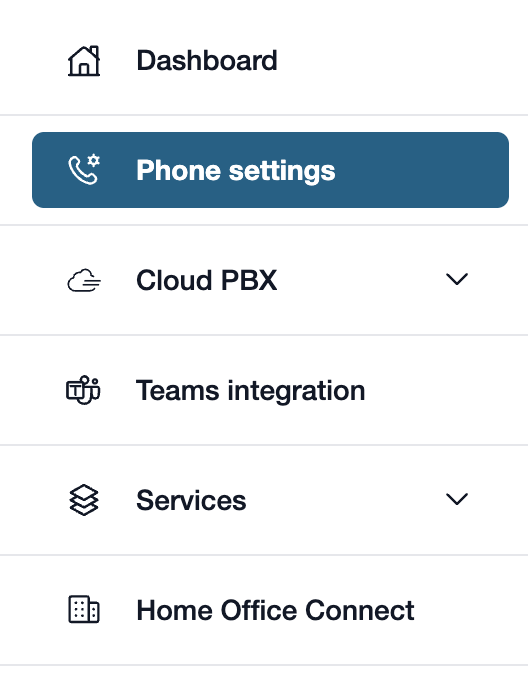
There, please click on “Telephone line” in the left-hand menu bar.
Alternatively, you can also click on “Manage Phone Numbers” directly in the my.easybell dashboard.
2. View details
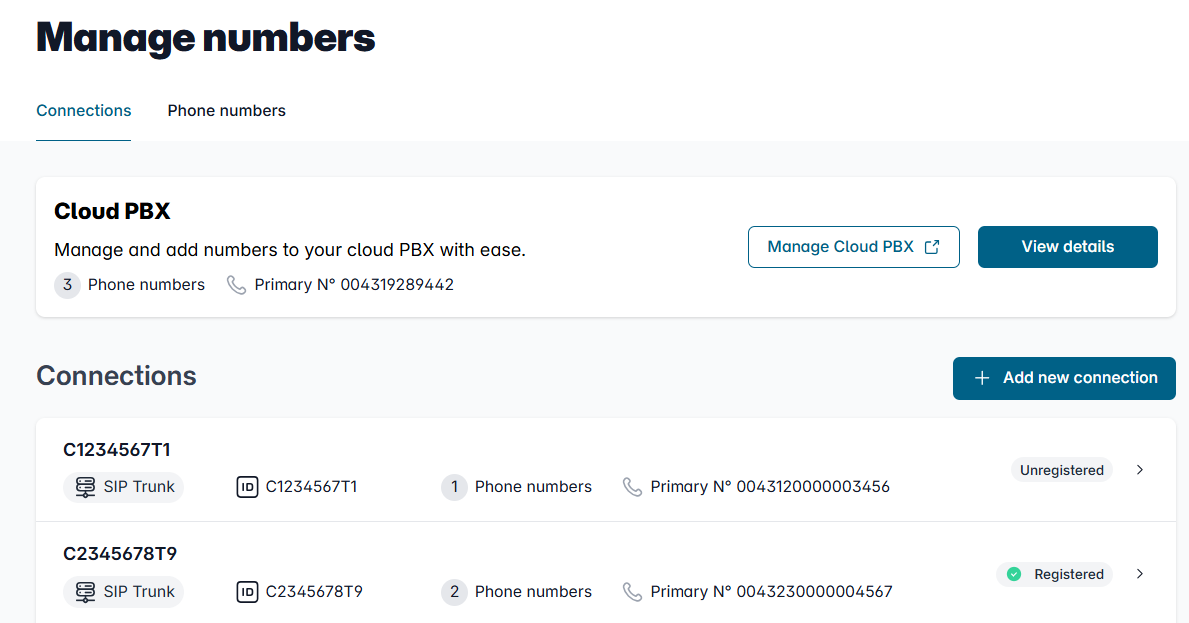
In the Overview of connections, please click on the connection whose settings you want to adjust.
3. Open the configuration

In the details view, you will see an overview of the settings.
Please scroll to the "Configuration" section and click the "Change" button to the right of it.
Set Up / Change Trusted IP
Trusted IP for Incoming Connections
Here you can choose whether your phone system will authenticate with us regularly using a username and password, or whether the phone system is always accessible via the same IP address and we should trust this association.
Below, we’ll walk you through all the options for authenticating incoming calls and provide instructions on how to use them.

Authentication via SIP password
This option is the default setting. It is easy to set up and can be implemented with virtually all installations. You should choose this option especially in situations where the installation’s public IP address is not always the same (e.g., non-static public IPs).
To register, the device must send its SIP username and password. The device’s IP address is irrelevant here.

Authentication by IP Address
Once you have ensured that logins originate exclusively from a single IP address, this option gives you the flexibility to implement more complex setups—such as large-scale professional telephone systems or older devices that cannot support individual SIP registration.
Authentication then takes place exclusively via the IP address(es). SIP credentials are ignored.
If you choose IP-based authentication, the following settings are available:
- Please specify the transport protocol used by your phone system.
- If you want to encrypt the telephone traffic, please also check the box next to “Use SRTP.”
- You can enter up to four IP addresses. Please note that these are used sequentially. This means that if the first one is unreachable, the system will automatically attempt to establish a connection to the next IP address.
Warning!
Please note that with this change, your calls will automatically be forwarded to the stored IP addresses. A phone system that authenticates using login credentials and does not use a stored IP address will no longer receive calls.
Trusted IP for Outgoing Connections
For outbound connections, you can choose whether to use Trusted IP as an additional security measure alongside traditional registration via SIP credentials, or whether authentication should be based solely on IP.
Below, we outline all the authentication options for outgoing calls and provide instructions on how to use them.

- SIP Password: This option is useful in all situations where the installation's public IP address is not always the same (e.g., non-static public IPs).
To register, the device must send its SIP username and password. The device’s IP address is irrelevant here. - SIP Password and IP Address: This is the configuration for installations where double security is required.
During registration or a call, not only is the correct SIP password required, but the IP address is also verified. The connection is only allowed if both are valid. - SIP password or IP address: This option offers basic security features with increased flexibility. This is useful whenever registration from a fixed IP address cannot always be guaranteed.
Either a registering device must connect from an authorized IP address, or it must include the correct SIP user credentials during registration. - IP Address: If it is ensured that logins originate only from a single IP address, this option provides the flexibility to implement more complex setups, such as large telephone systems or older devices that cannot support individual SIP registration.
Authentication then takes place exclusively via the IP address(es). SIP credentials are ignored.